
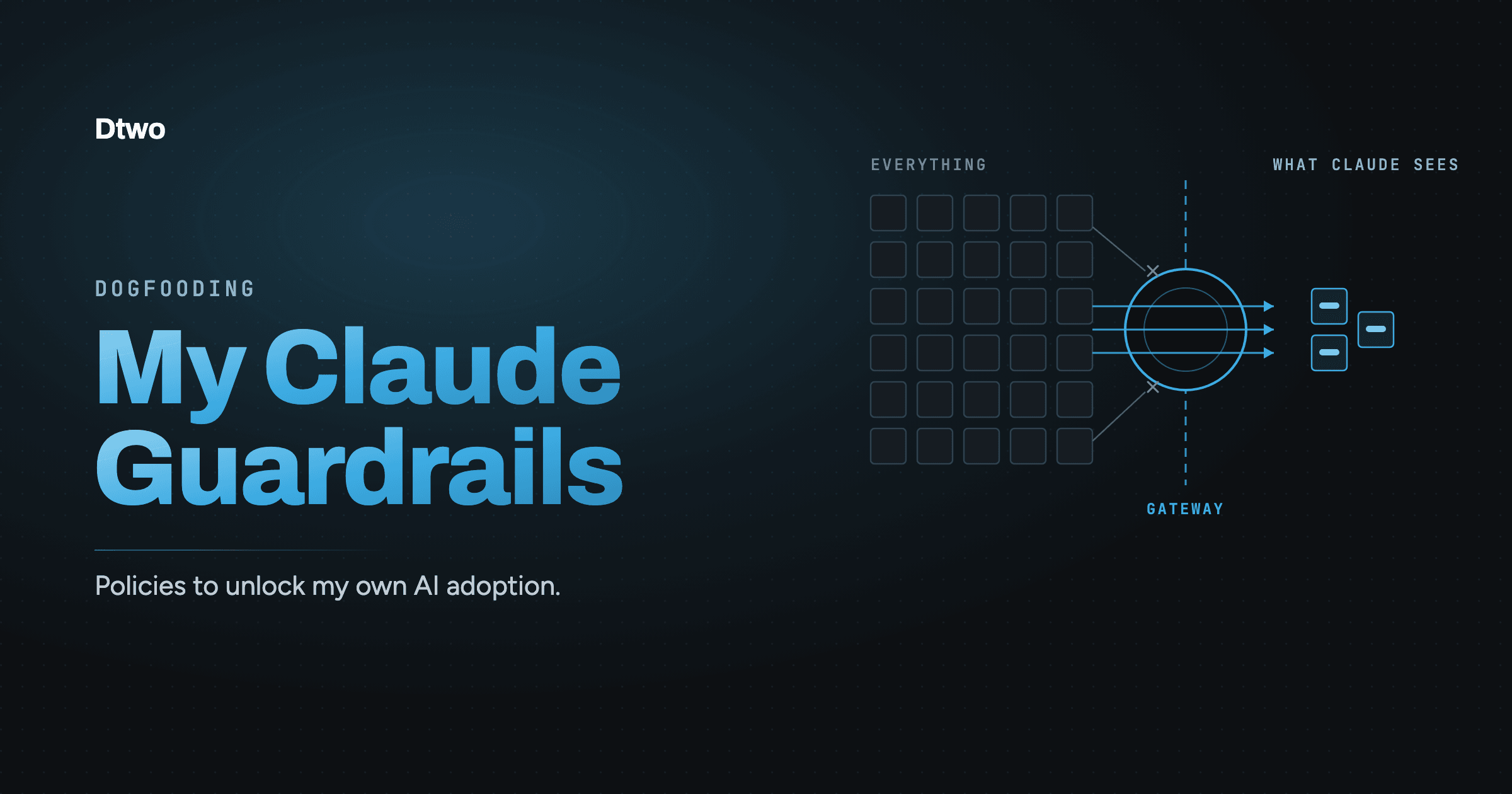
I use AI continuously throughout the day and my Claude Code has access to our internal systems.
That access puts Claude in its own risk category. In a chat window, I make the decisions, one at a time. An AI agent makes its own. It searches, reads, and runs tools whenever that looks like the reasonable next step toward its goal. Running a continuous stream of commands like this is the whole point of giving it access. It also means I haven’t reviewed, in advance, everything it might see or do.
As CEO, I can get to most of what’s confidential, such as board material, financials, compensation, candidate files, legal and patent work, and partner agreements. None of that is unusual for an executive. What’s different now is that I work alongside something that can get to much of it on my behalf. Giving up AI isn’t an option, so I work to limit the blast radius instead.
I govern my agent with our own product. This post walks through my real setup: the security guardrails that decide what Claude can actually reach. All the policies I describe in this post are published in our policy catalog.
The setup: Claude connects through Dtwo
I run Dtwo, our security control plane for AI agents. It exposes all the MCP servers Claude needs. As a Google Workspace customer, I started with Calendar, Gmail, Drive, and Sheets. Claude connects to Dtwo, not to each app directly.
Dtwo is also where the policies live. Every MCP call Claude makes, and everything that comes back, passes through them. Claude never talks to email or files directly, so there is no path around the rules.
Five guardrails
Email and files hold the most sensitive material, so that’s where I started. The security outcome I wanted was simple. Claude should work freely on anything current, and the company’s private history should stay out of its reach, without me having to think about it on every task. Four policies for Gmail and one for Drive get me there. These are the guardrails.
All of them prefer to filter rather than deny. I want Claude’s calls to succeed while excluding the data it shouldn’t see. That matters in daily use because a refusal derails whatever Claude was in the middle of doing, while a narrower answer lets it keep going.
Policy #1 - Narrow the search
When Claude searches my email, it gets results only from the last two weeks. It can’t widen the window by asking for older email; the limit applies no matter how the search is phrased.
Published as gmail/recent-search-only
Policy #2 - Skip old conversations
Search isn’t the only way into the mailbox. Claude can also open a conversation directly, so this policy keeps those reads recent too. A conversation with a reply in the last two weeks is fully readable, older messages included. A conversation that has been quiet for longer comes back empty.
Published as gmail/filter-dormant-threads
Policy #3 - Strip named senders
Some email I don’t want an agent reading at all, whatever its age. This policy removes messages from specific senders on my list. An entry can name one address or a whole company. I use it mostly for automated email such as the transfer notices from our bank.
Published as gmail/filter-blocked-senders
Policy #4 - Hide confidential threads
The other Gmail rules are broad strokes; this one is a manual override. When a specific conversation shouldn’t be in Claude’s reach, I tag it with my Confidential label in Gmail and the entire conversation disappears from Claude’s view. One click, and no new rule to write.
Published as gmail/filter-labeled-threads
Taken together, those four policies change what the mailbox looks like from Claude’s perspective. It isn’t a searchable archive of everything I’ve ever received. It’s the last two weeks, minus a named list of senders, minus anything I’ve flagged. Claude can still do the work I actually want: find the thread we’re discussing, draft the reply, check upcoming tasks and deadlines. It just can’t sweep the inbox in an unconstrained way.
Policy #5 - Exclude personal drives
Our shared drives hold what’s meant to be readable across the company: product, engineering, marketing, legal. Personal drives hold what isn’t: board packs, financial detail, resumes, patent drafts. The policy draws exactly that line. Claude works freely across the shared drives, and anything in a personal Drive, mine or a colleague’s, stays out of reach. There’s nothing to maintain as people join or folders move.
Published as google-drive/exclude-personal-drives
Writing guardrails in plain language
None of this arrived as a designed set. I added each policy when I decided to block a behavior, or when I watched Claude do something risky and realized nothing would stop it next time.
What has worked better than I expected is how cheap the loop is. I don’t write policies by hand. I describe what I want in plain language, our product turns that into a working policy, and I review and test it against real calls before it takes effect. Each one takes minutes, and the result handles edge cases I wouldn’t have thought to list. Because it’s that fast, I add policies as I need them and refine them based on what I see in daily use. In fact, by the time you read this, my policy set will have almost certainly changed again.
The payoff: I delegate more to Claude
The clearest change is that I delegate more. Before the policies, every task that touched email or files came with a moment of hesitation: what else might Claude wander into along the way? So I would do those tasks myself, or hand Claude a sanitized fragment and fill in the rest by hand. Now I hand over the real task: find the thread, draft the reply, pull together what we promised a customer, collect the latest decks from the shared drive. The work Claude does for me increased because the checking I do decreased. The policies made me faster because I stopped being the guardrail.
There’s a second payoff, the one that turns a personal setup into something useful for the company: these policies are shared. Whatever I write and deploy is available to everyone in the company. My setup is a proving ground for governance the rest of the company can adopt without repeating the work.
And they aren’t only shared inside the company. I contributed my policy set back to our public policy catalog, so anyone using Dtwo can import them without starting from a blank file, then tune the specifics to their own domain.
I’m not cautious about Claude Code because I think it’s inherently dangerous. I’m cautious because I want to keep using it on real work, with real systems, and that’s only sustainable if I can say precisely what it can and cannot reach. The point of the policies isn’t to restrain the agent. It’s to let me adopt AI.
FAQ
How do I limit what Claude Code can access?
Route everything through Dtwo. Claude connects to Dtwo rather than to each app, and policies decide what every call can reach and what comes back. There is no path around the rules.
Can policies keep an AI agent out of confidential email?
Yes. My Gmail guardrails limit Claude to recent email, strip messages from listed senders, and hide any conversation I tag with a Confidential label. A tagged conversation disappears from Claude’s view with one click.
How do I get started with AI guardrails?
Start from Dtwo’s policy catalog. It has reviewed policies for common apps such as Gmail, Google Drive, Slack, and GitHub, including the five in this post. Import the ones that fit, then tune the specifics to your own domain.
Want to set up guardrails like these for your own agents? Start a free trial.