
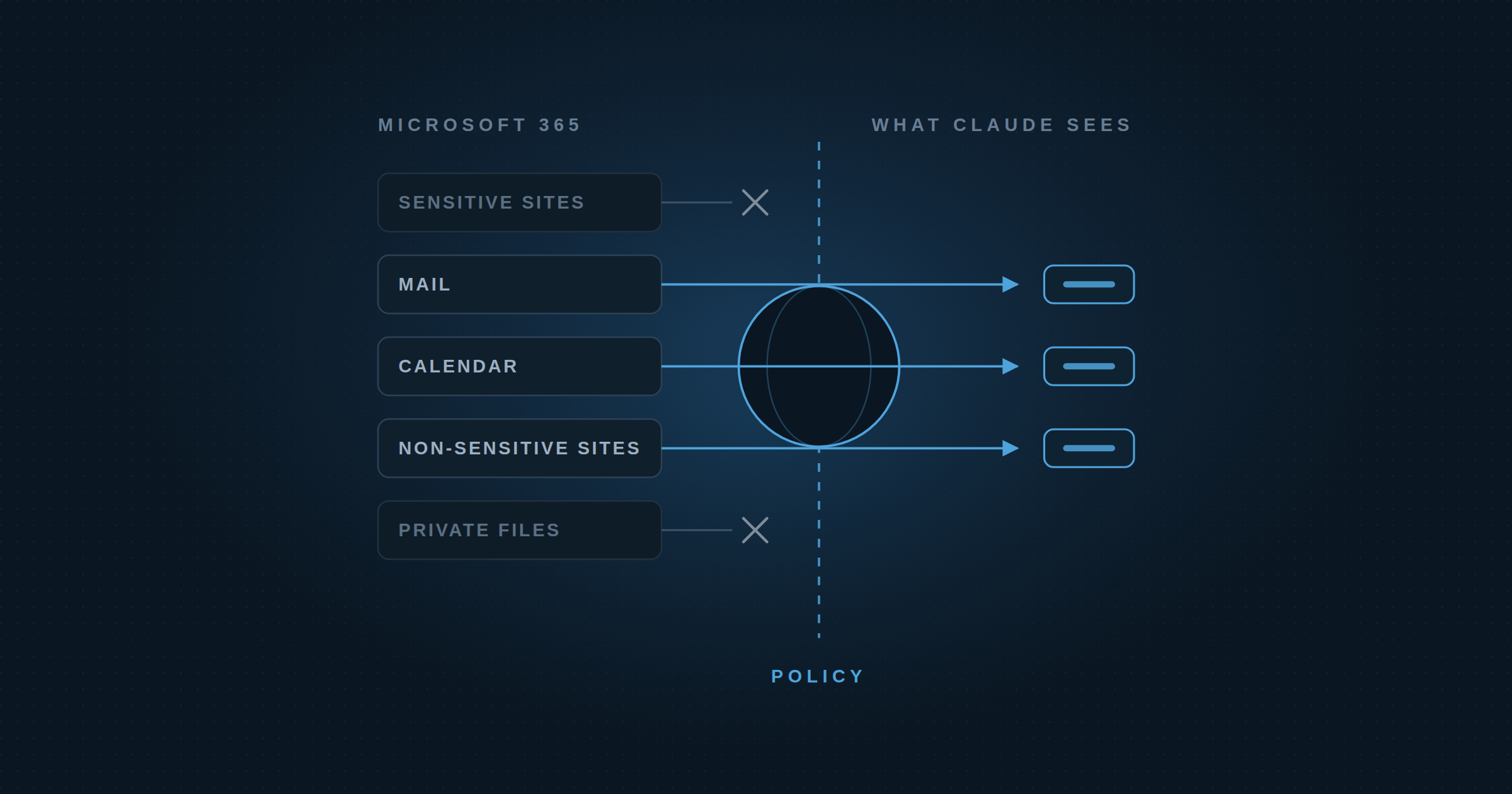
The most common conversation we have with security teams follows the same pattern every time. Someone senior, often the person who signed the AI agreement, asks for Claude to be connected to email. The security team looks at what that actually means and says no.
It isn’t a no to AI. Most of these organizations are already rolling out Claude Cowork and Claude Code and are happy about it. It’s a no to this specific ask, because Microsoft 365 isn’t one system. It’s email, calendar, OneDrive, and every SharePoint site anyone has ever stood up. “Connect Claude to email” quietly means all of it.
The problem isn’t access. It’s granularity.
Most organizations have already done the hard part. The IT teams we talk to can tell you precisely which SharePoint sites hold sensitive material and which don’t, and most have a standing rule about which of those an AI tool is allowed to touch. That classification exists, it’s written down, and people follow it. What’s missing is anywhere to enforce it once Claude is in the picture. The native Microsoft 365 connector is all-or-nothing. You either hand over a user’s mailbox and their sites, or you don’t.
So security says no, and the work doesn’t stop. People paste email bodies into Claude by hand instead. One user told us that before he had a sanctioned path, his workflow was copy-paste, and that afterward nothing about his day changed except that he was now allowed to do it. That’s the real cost of a no: the same data ends up in the same model, just with no record of it.
What a yes looks like
Expose Microsoft 365 through Dtwo and disable Microsoft 365 as a direct connector in Claude at the organization level. That routes every call through Dtwo, where policy decides what Claude can reach. The most common policies our customers apply are:
Keep Claude out of sensitive SharePoint sites. Claude reads your non-sensitive sites and can’t see the sensitive ones. If your sites follow a naming convention, that’s enough to write the rule. If you have Purview sensitivity labels, policy can key off those instead.
Mark an email confidential and Claude can’t see it. Some threads shouldn’t reach a model at all: legal matters, personnel issues, anything under NDA. A sensitivity label or category on the message is enough for policy to act on: Claude can’t read it, summarize it, or pull it into a draft.
Keep Claude from hitting send. The highest-value email workflows are read-and-draft, not send. Claude reads the thread and writes the reply; the person sends it from Outlook. Nothing leaves the mailbox without a human looking at it. Every user we’ve talked to wanted it that way.
Redact sensitive data before it reaches Claude. Content is screened after it leaves Microsoft 365 and before it reaches Claude, with sensitive material stripped from the payload. This gives users peace of mind that sensitive data is never sent to Claude.
Grant read-only access to the calendar. Scheduling is the workflow users ask for most. The hesitation is rarely about Claude seeing the calendar, it’s about Claude acting on it. With read-only access, Claude can see availability and suggest open times in an email draft, but it can’t book, move, or cancel meetings.
The takeaway
The original ask, connecting Claude to email, isn’t unreasonable. It’s just too big to approve as stated. Start with the five policies above, then watch what people actually do with the access and add more policies as you need them. That’s how a no turns into a yes without giving Claude more than it needs.
If your users are asking and you haven’t had a way to say yes, start a free trial.